
How To See Analytics Of Other YouTube Channels
Ever thought about how some channels grow so fast? Well, the answer is data. Many intelligent creators are now busy spying competitor data to see exactly what’s driving views and subscribers.
So naturally, the question comes up: how to see analytics of other YouTube channels?
Even though you can’t access someone’s private YouTube analytics dashboard, you can check a lot of useful public data through many tools. In this blog, we will explain how to access the YouTube channel analytics of any competitor and how to use them to win more audience.
Can You See Other YouTube Channels’ Analytics?
Yes, but only partially.
You can’t access someone’s private YouTube analytics dashboard. That data is only visible to the channel owner. But you can still check a lot of useful YouTube channel stats using public data and analytics tools.
Here’s a quick breakdown of what you can see and what you can’t:
| Visible Data | Hidden Data |
| Total views on videos | Exact revenue and RPM |
| Subscriber count | Audience demographics (age, gender, location) |
| Likes and comments | Traffic sources |
| Upload frequency | Audience retention |
| Top-performing videos |
Also Read: Can You See Who Viewed Your YouTube Video?
Why You Should Analyze Other YouTube Channels?
If you’re serious about growing on YouTube, guessing won’t work. You need data. And that’s exactly why analyzing other YouTube channels matters.
Here’s what you actually gain from it:
- You Stop Wasting Time on What Doesn’t Work
Instead of testing random ideas, you can look at YouTube channel stats and see which videos are getting more views and engagement. This helps you focus on content that already has demand.
- You Find Content Gaps Your Competitors Miss
No channel covers everything.
Your competitors have blind spots. Maybe they never explain the basics. Maybe they ignore a specific subtopic. Maybe their thumbnails are weak.
When you analyze their analytics, you spot these gaps. Then you fill them and become a special channel that gives viewers what others don’t.
- You Set Realistic Growth Goals
It’s easy to feel discouraged when you see a channel with a million subscribers.
But what if that channel took eight years to get there?
Social analytics tools let you see exactly how long it took any channel to grow with subscriber histories. This gives you a realistic idea of your channel growth.
- You Find the Right Collaboration Partners
Not all big channels make good collaborators.
A channel might have 500,000 subscribers but only get 2,000 views per video. That’s a red flag.
When you know how to see analytics of other YouTube channels, you vet potential collaborators properly and partner with real creators who bring real value.
- You Can Spot Trends Early
By regularly checking YouTube analytics for other channels, you can catch trends before they become saturated.
If multiple channels in your niche are growing with similar content, that’s your signal.
Best Tools to See YouTube Channel Analytics
Check out the best three tools to see the analytics of other YouTube channels:
1. SocialBlade
If you just want to check YouTube channel stats quickly, SocialBlade is the easiest tool to use.
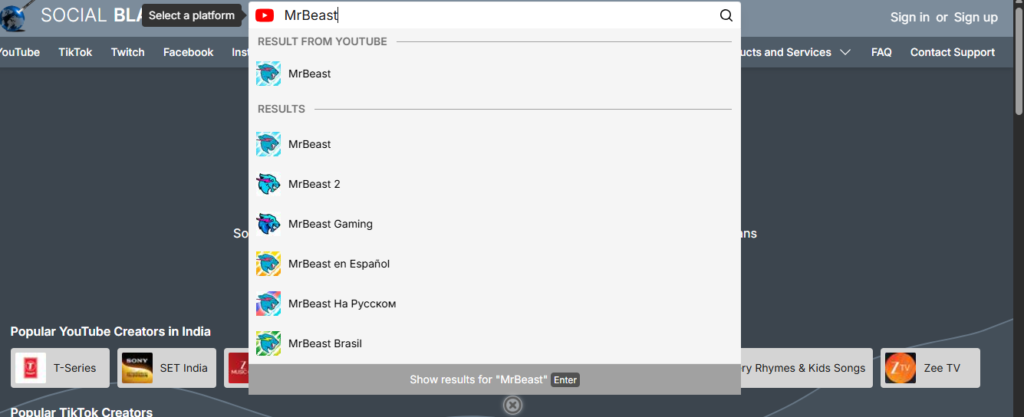
You just need to search the name of your creator/channel in the search bar. It shows you:
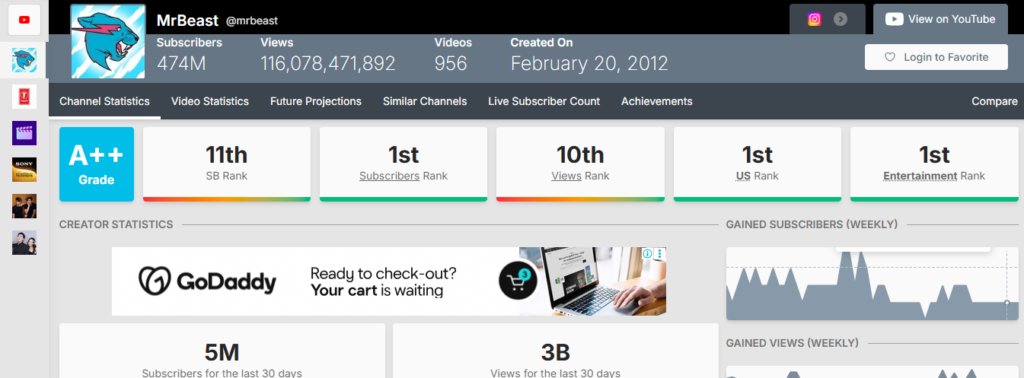
- Basic public data like views, subscribers, number of videos, and when the channel was created
- Rankings and a grade
- Subscribers, views, and earnings in the past month with a trend graph
- Daily metrics of the last 14 days
SocialBlade also has a Chrome extension that adds analytics directly to YouTube. It shows you a channel’s grade, estimated earnings, and even the tags they use on their videos. Super handy when you’re browsing.
2. TubeStats
TubeStats also works just like SocialBlade.
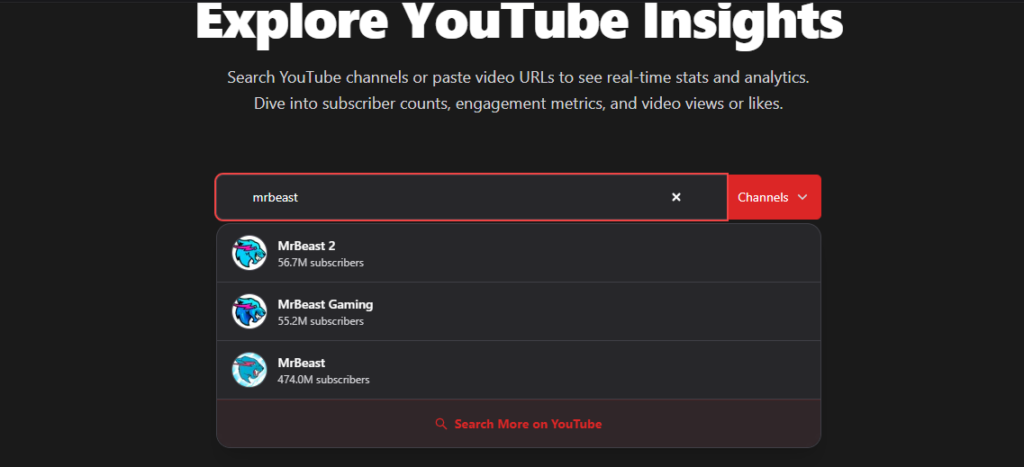
You can search for the name of the YouTube channel. Or, if you can’t find it, just paste the URL.
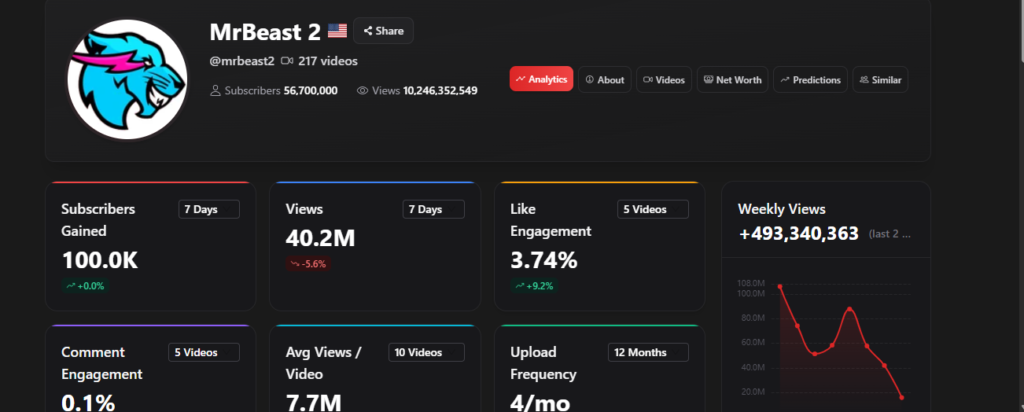
The metrics are much more comprehensive and are curated under six different heads:
- Analytics: First of all, you can have a quick overview of the total subscribers, views, likes, comments, average views per video, and upload frequency of the channel. You can also have a look at the content distribution, like how many videos are long-form and Shorts, and the average upload gap.
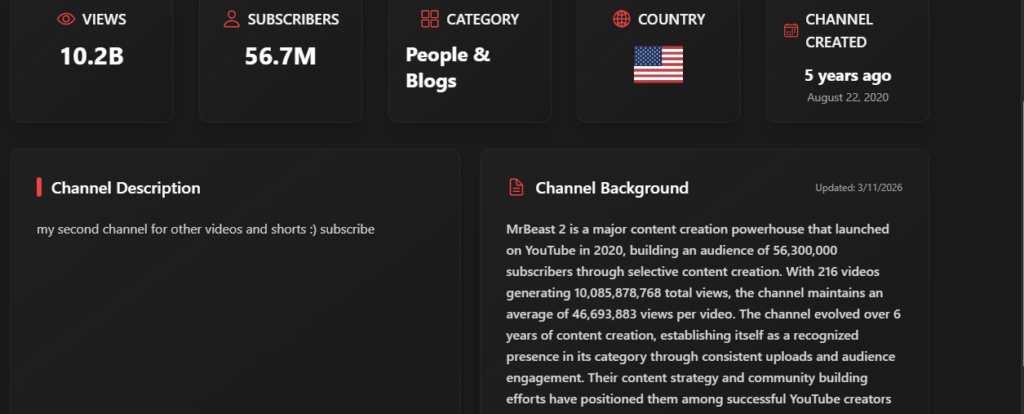
- About: See basic details like category, nation, channel created year, and the chanel description with a background section (created by Tubestats).
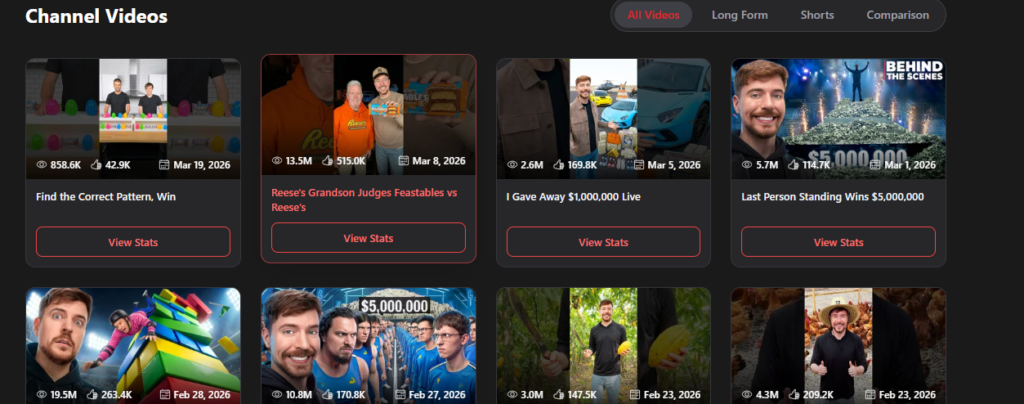
- Videos: Analyze the individual metrics of each video, such as likes, comments, like engagement rate, comment engagement rate, and comparison with 10 most recent videos.
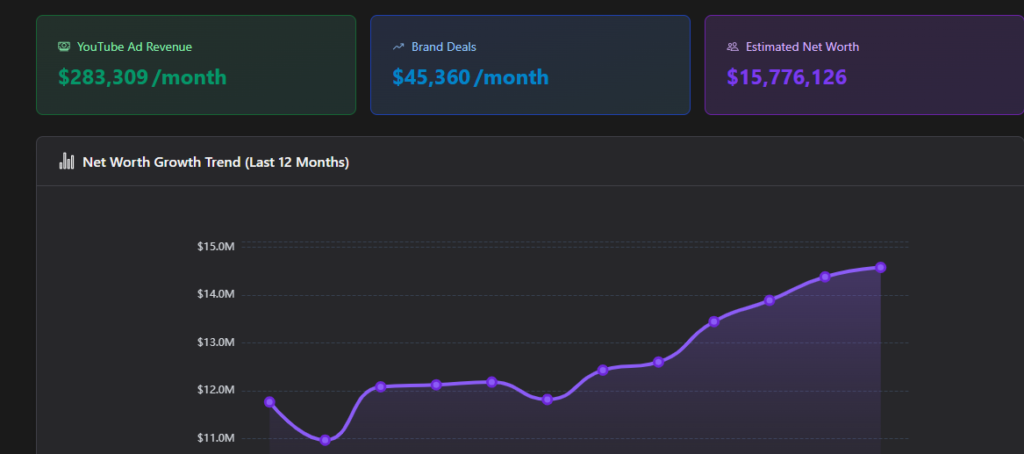
- Net Worth: Financial aspect of the channel, with a breakdown of ad revenue and brand deals, along with a graph.
- Similar: You can also explore channels with similar content.
3. Tubepilot
TubePilot channel audit tool is a YouTube analytics tool that focuses more on the SEO aspect.
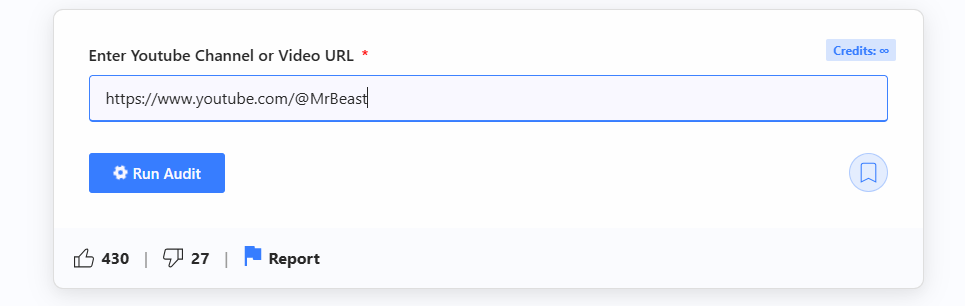
Here, you need to paste the channel URL itself (no feature to find the channel name). The tool shows you:
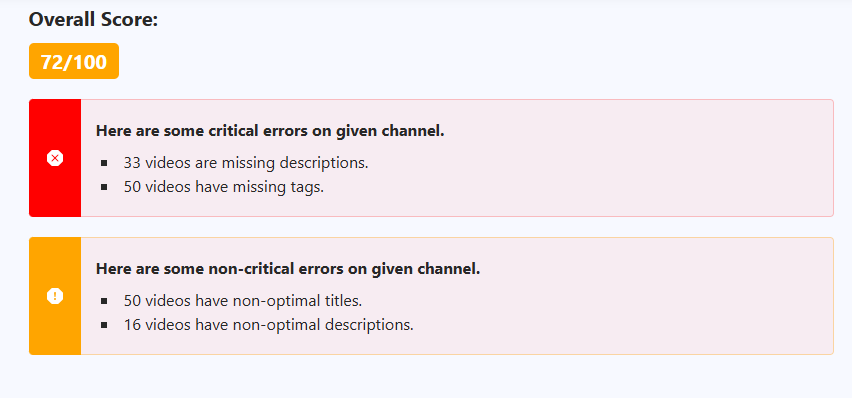
- An overall score based on SEO optimization
- All metrics (likes, comments, like engagement rate, comment engagement rate, and views) of the latest 50 videos and top 5 most viewed videos
- Metadata comparison of the last 50 videos
- Basic channel details, like the upload frequency and whether the channel has bio, banner, description, and playlists
The pool of information might be low, but it’s far more relevant for your SEO strategies. Check out this detailed guide to know more:
Frequently Asked Questions (FAQs)
- Can I see another YouTube channel’s exact revenue?
No. Exact revenue and RPM are private. Analytics tools show estimated earnings based on public view counts and average CPM rates, but these are just rough ranges.
- Are YouTube analytics tools accurate?
Most tools provide estimates based on public data. They are useful for trends and comparison, but not 100% accurate.
- What metrics should I focus on when analyzing a YouTube channel?
Focus on views per video, engagement (likes/comments), subscriber growth, and content consistency. These give a clear picture of what’s working.
Conclusion
Every successful channel in your niche has already done the hard work for you. They’ve tested topics and thumbnails that the audience clicks on. That data is sitting right in front of you.
All you need to do is use YouTube analytics tools to uncover them and sort out the patterns. Then create something better that aligns with your audience’s expectations!
Leave a Reply
Want to join the discussion?Feel free to contribute!